Promotions & loyalty
Set up a promotion on your phone, every till applies it
Pick the "Buy more, save more" template, fill in the discount, save. GrowFly checks it against the promotions already running, then the tills at every branch and the sales app put it in the cart — nothing for cashiers to remember or type. Try it below: four presses.
Use the real GrowFly, right here
This is not a picture: you go into the software itself, on a sample shop with products, customers and orders. The try-it guide walks you through this line of work step by step.
On a phone, the GrowFly app opens in a new tab.
- A shared sample shop — don't enter real information.
- Data is refreshed every night at 3:00 (Vietnam time).
- Payments, shipments and e-invoices in the demo are simulated.
No tech skills needed
As easy as filling in a form
The hard part — working out tiers, checking overlaps, adding points — the software does.
Start from a template
In the app, press + and pick "Product discount", "Order discount", "Buy X get Y" or "Buy more, save more". The template already splits it up: on what, how much off, for whom, until when.
Nothing for cashiers to remember
Running promotions drop into the cart at the till and in the app on their own. Only a promotion that needs a code asks for the "Coupon code".
Checked when you save
Before saving, GrowFly looks for another promotion on the same goods at the same time, and asks which one should come first.
Every kind of promotion a chain of stores needs
Promotions, coupon codes and loyalty in one place: the "Promotions" menu on the computer, the Promotions tab in the app.
Percent, amount, fixed price, free item
Four kinds of benefit: a percentage off, an amount off, a fixed price, or a free item.
On products, groups, brands or the order
Apply it to a few items, a whole product group, a brand, or take it off the order total.
The right customers, the right places
For one customer, a customer group or a territory; limited by dates and by the warehouse sold from.
Buy more, save more — up to 20 tiers
Customers get the benefit of the tier they reach, counted by quantity or by amount.
Coupon codes and gift cards
A shared code for a campaign, or a gift card only one customer can use. A code that takes nothing off the sale isn't counted as used.
Loyalty with tiers
A loyalty program with up to 20 tiers by total spending. Named customers on the sale earn points; walk-in customers don't.
Applied at the till and in the app
The till shows a "Promos" chip with what applies to the cart; loyal customers spend points right at payment.
Clear statuses
Running, Upcoming, Ended, Off. A promotion that has already sold can only be switched off, not deleted — past figures stay intact.
The owner sets the rules, the tills follow
Whoever creates a promotion does it once; every till and every sales phone picks it up.
On the phone
Create, change or stop promotions from anywhere
The app's Promotions tab has three parts: Promotions, Coupon codes, Loyalty. Each is sorted by status, so you see at a glance what's running and what's coming.
- Templates: Product discount, Order discount, Buy X get Y, Buy more save more
- Create coupon codes, gift cards and loyalty programs in the app
- The owner adds or takes away a customer's points by hand
Promotions
Buy more, save more — cups
From 2: 5% off · from 4: 10% off
Product: Set of 4 white cups 350ml
Until 30/11/2026
October flask deal
10% off
Product: Steel vacuum flask 500ml
Until 31/10/2026
50,000 ₫ off orders over 1 million
50,000 ₫ off · amount from 1,000,000 ₫
On the whole order
No end date
At the till
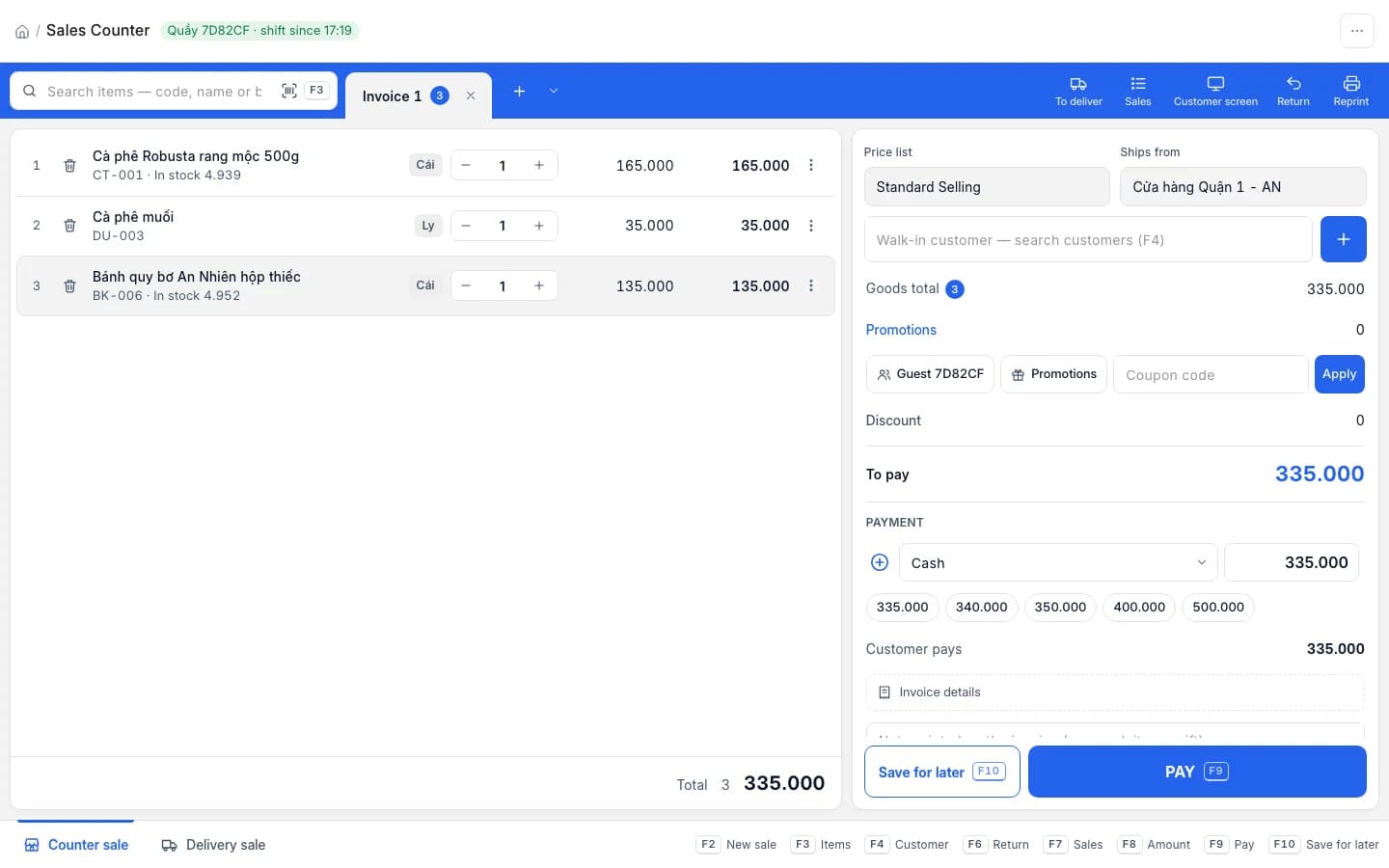
Promotions, codes and points sit in the cart
The "Promos" chip opens the "Promotions" that apply to this customer and these goods: item discounts, invoice discounts, free items. The "Coupon code" box takes the code a customer reads out; "Use points" takes points off the sale.
- Only promotions that need a code are picked by hand
- An "All" button spends every point the customer has
- Spending points needs a running loyalty program
Item discounts
Buy more, save more — cups
Invoice discounts
50,000 ₫ off orders over 1 million
- Free items · —
Coupon code
Use points (1,240)
1,240 points · 1 point takes off 1,000 ₫
Loyalty
Card tiers by total spending
Set tiers — Member, Silver, Gold — by how much a customer has spent in total, each with its own earning rate.
- Up to 20 tiers in one program
- One program at a time adds customers by itself
- Walk-in customers don't earn points
Loyalty program
An Phat Members
| Tier | Total spent from | Per point |
|---|---|---|
| 1Member | 0 ₫ | 10,000 ₫ |
| 2Silver | 5,000,000 ₫ | 8,000 ₫ |
| 3Gold | 20,000,000 ₫ | 5,000 ₫ |
Adds customers when they buy
Walk-in customers earn no points
One promotion, the whole system follows
Nobody types the discount in again anywhere else.
- Point of saleThe till applies promotions to the cart, takes coupon codes and lets customers spend points at payment.
- Mobile appThe sales app applies the same promotions as the till; the owner creates, edits and stops them on the phone.
- Customers & ZaloPromotions target individual customers, customer groups or territories from your customer list.
- Data migrationComing from KiotViet: running voucher campaigns become promotions, unused vouchers become coupon codes, customers keep their points.
Good to know
- In the app, the shop owner creates and edits promotions; staff only see what is running. On the computer, promotions live in the "Promotions" menu.
- Two promotions on the same goods at the same time are flagged when you save; you choose which one applies first.
- Loyalty needs a running loyalty program; only one program at a time adds customers by itself.
- Walk-in customers don't earn points — pick the right customer on the sale so they do.
- A promotion that has already sold can't be deleted, only switched off.
From idea to till in four steps
- 1
Pick a template
Press + in the app, or open the Promotions menu on the computer.
- 2
Fill in the benefit
On what, how much off, for whom, from when until when.
- 3
Save
GrowFly checks for overlaps and switches it on: Running or Upcoming.
- 4
Sell as usual
The till and the app apply it; named customers earn points.
Do cashiers have to pick the promotion?
No. Running promotions for the customer and the goods in the cart apply themselves. Cashiers only type a code when a promotion needs a "Coupon code", and press the "Promos" chip if they want to see what the sale is getting.
What if two promotions apply to the same product?
GrowFly checks for overlaps when you save and tells you which promotion the new one clashes with. You choose which comes first, so the till never has to guess.
What's the difference between a coupon code and a gift card?
A coupon code is shared by many customers in a campaign. A gift card belongs to one customer and only they can use it. A code entered on a sale it takes nothing off isn't counted as used.
How does loyalty work?
You create a loyalty program with tiers by total spending, up to 20. Named customers on a sale earn points and can spend them at the till; walk-in customers can't. When needed, the owner adds or takes away points by hand.
Do my KiotViet promotions come over?
Voucher campaigns still running come over as promotions on the whole order, unused vouchers as coupon codes, and customers keep their points. Other promotions aren't in KiotViet's API, so they can't be moved — you recreate them from the templates in GrowFly.
Create a promotion on the demo store
Sample data, no sign-up. Then ring up a sale at the till and watch it apply itself.