Customers & Zalo
Every customer in one record, Zalo messages sent at the right moment
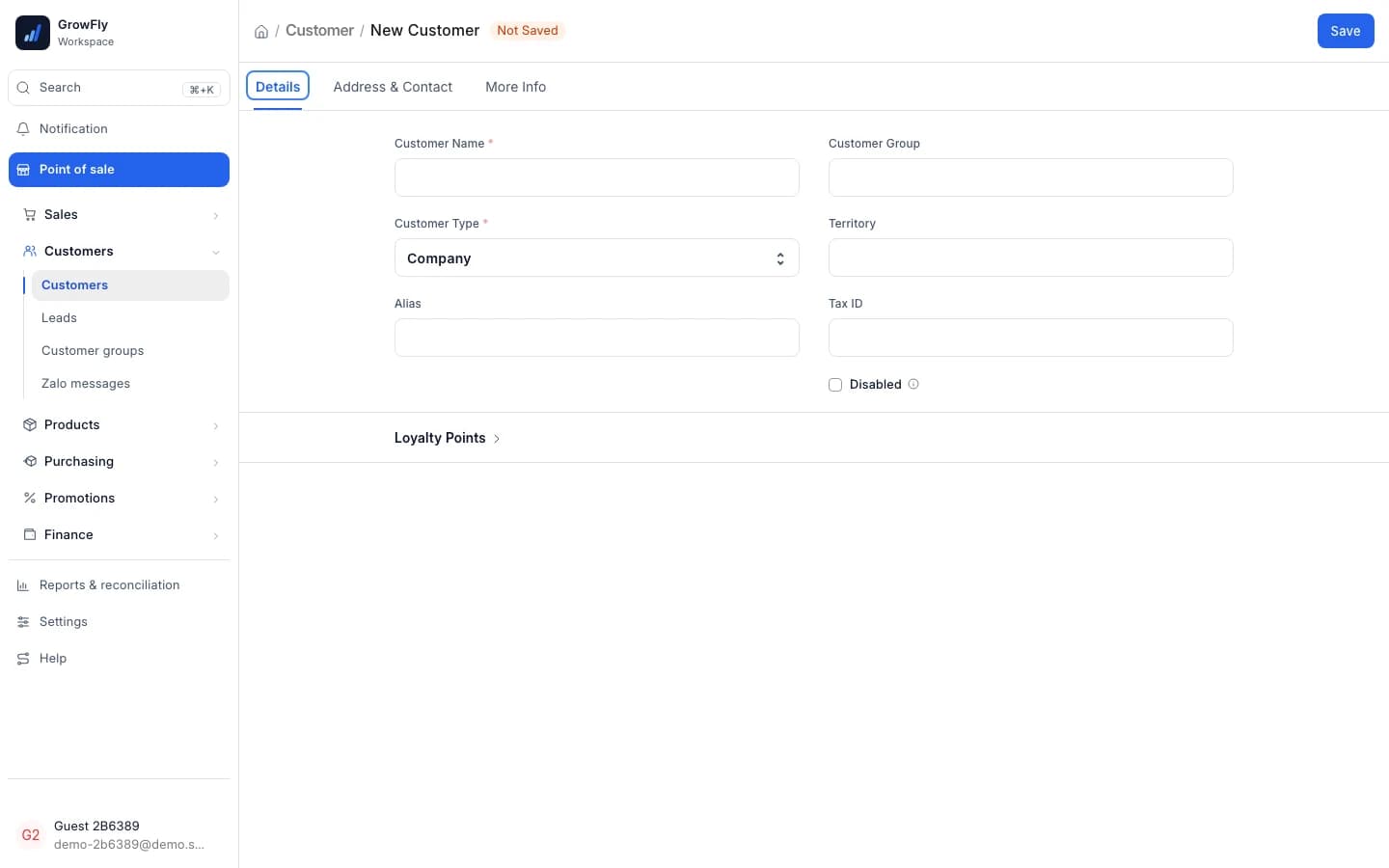
Add a customer with a name, a phone number and one address: type without accents and the right ward on the new map comes up. Orders, invoices, points and debts gather on their own; connect your Zalo OA and customers hear about every step of their order. Try it below: 4 presses.
Use the real GrowFly, right here
This is not a picture: you go into the software itself, on a sample shop with products, customers and orders. The try-it guide walks you through this line of work step by step.
On a phone, the GrowFly app opens in a new tab.
- A shared sample shop — don't enter real information.
- Data is refreshed every night at 3:00 (Vietnam time).
- Payments, shipments and e-invoices in the demo are simulated.
No tech skills needed
Any staff member gets the customer right the first time
Fewer fields, picking instead of typing, and the software checks the usual mistakes.
Four things are enough
Customer type, name, phone, one address. To note more, press "Edit full form".
No accents, still the right ward
Type "ba dinh" and Phường Ba Đình comes up. Addresses follow the new 34-province map; old addresses can still use the 63 provinces.
Phone numbers checked for you
A wrong number is stopped when saving. Vietnamese numbers are stored one way, starting with 0; foreign numbers with + and the country code.
Everything about a customer
From the first purchase to the payment reminder.
Add customers anywhere
From the customer list, from the till (the + beside the customer box) or while taking an order: the same two-column quick entry.
34 provinces, 3,321 wards
The administrative map from 1/7/2025; the old 63 provinces, 705 districts and 10,599 wards remain available.
Phone check
Wrong numbers are stopped when added or edited; numbers already on file aren't forced to be re-entered.
Company customers
Tax ID on the first tab of the customer record. The app has Company name, Tax ID and Invoice email fields.
Loyalty points and history
Points show on the record and at the till; the customer's orders, deliveries, invoices and payments gather in one place.
Debt per customer
The customer list has a Debt column; the "Customer debt" report shows who owes, how much and for how long.
Leads
Keep track of people who asked but haven't bought. Opportunities are an extra, turned on in the settings when the sales team needs them.
Zalo messages on 15 events
Order confirmed, goods shipped, out for delivery, payment received, e-invoice issued… one of your templates per event.
The hard parts of customer care, done for you
Addresses on the new map, messages to customers, debts.
New addresses
Type without accents, land on the right ward
The address picks a province, then a ward, on the 34-province map from 1/7/2025; type "ha noi" or "ba dinh" with no accents. Customers still using an old address: switch the "Address scheme" to the 3-level one from before 01/07/2025.
- 34 provinces, 3,321 wards; and the old 63 provinces, 705 districts, 10,599 wards
- The divisions list is updated with every upgrade, nothing to enter yourself
- Delivery orders take this address as it is, no retyping
New Customer · Primary address
Address scheme
Việt Nam — 2 cấp (từ 01/07/2025)
Province/City
Thành phố Hà Nội
Ward/Commune
ba dinh
Phường Ba ĐìnhVN-2025-L2-4
No accents, d for đ: still the right ward.
Zalo messages
Wherever the order goes, the customer hears about it
Connect the shop's Zalo OA, sync your ZNS templates, then set "Message rules": which event, which template, what fills it. From then on messages go out by themselves whenever the event happens; nobody texts by hand.
- 15 events: orders, stock-out, till sales, payment received, 8 shipment statuses, e-invoices
- Every message sent is listed under "Zalo messages" in the Customers area
- Marketplace buyers get no messages
Message rule
Tell the customer it's on its way
- When
- Shipment: out for delivery
- Template
- Delivery update
- Parameters
- {customer_name} · {order_code} · {tracking_code}
Delivery update
Hi Trần Thu Hà, order SAL-ORD-2026-00125 is on its way to you.
Tracking code153128852438
StatusOut for delivery
Debts
See who owes, and since when
Selling on credit to dealers and shops is daily work for a distributor. The "Customer debt" report reads straight from invoices and payments: who owes, how much, since which day.
- Debt split into 0–30, 31–60, 61–90 and over 90 days
- Type "debt" in the ⌘K search to get "See who owes money"
Customer debt
Who owes, how much, for how long.
- Total debt
- 186.4M
- Over 60 days
- 41.2M
- Customers owing
- 27
One customer record, used across the business
Enter it once, anywhere; every other part reads it.
- Point of saleAdd customers right at the till with the + button; they spend loyalty points at checkout.
- Promotions & loyaltyPromotions can target a customer or a customer group; loyalty programs reward regulars.
- E-invoicesCompany customers have a tax ID and email, so the e-invoice names the right buyer.
- Accounting & reportsCustomer debt comes from the invoices and payments themselves, so the report is always current.
- Orders & deliveryNew-map addresses flow into delivery orders; customers hear about each shipment status.
- MarketplacesEach marketplace buyer becomes one customer, and later orders land on that customer.
What to prepare
- Zalo messages need the shop's Zalo Official Account (OA): enter the OA ID, App ID and Secret, then authorise GrowFly. ZNS templates come from your Zalo account.
- There are no message rules by default: you choose which events send which template.
- Loyalty points need a Loyalty Program; walk-in customers earn nothing.
- Opportunities and Prospects are off by default; turn them on in the settings when needed.
- Customers from KiotViet or MISA eShop come over with "Data migration"; Excel lists through the data import tool.
How you work with customers
- 1
Add the customer
Name, phone, one address: in the list, at the till or in the app.
- 2
Sell and earn points
Orders, invoices, points and debts gather on the record by themselves.
- 3
Connect Zalo OA
Sync templates, set rules: which event sends which template.
- 4
Follow up on debts
Open the Customer debt report and remind the long-overdue ones.
Can I still use addresses on the old 63 provinces?
Yes. The default is the 34-province map from 1/7/2025; switch the "Address scheme" to "Việt Nam — 3 cấp (trước 01/07/2025)" to pick the old province, district and ward.
Does typing without accents really find the address?
Yes. Pick the province, then the ward: "ha noi" finds Thành phố Hà Nội, "ba dinh" finds Phường Ba Đình. Typing d for đ works too.
When are Zalo messages sent, and to whom?
When one of the 15 events happens and you have a message rule for it, for example an order confirmed, goods shipped, a shipment out for delivery, an e-invoice issued. Messages go to the customer's phone number; marketplace buyers get none.
How do company customers get their e-invoice?
Put the tax ID on the customer record. When invoicing, the buyer is a Company (tax ID, company name) or an Individual; both need an address and an invoice email.
Where do I see what a customer owes?
In the Debt column of the customer list, and in the "Customer debt" report for everyone who owes. Typing "debt" in the ⌘K search and choosing "See who owes money" opens it too.
Can I manage leads?
Yes. "Leads" are always in the Customers area. Opportunities and Prospects are off by default to keep the menu short; turn them on in the settings when your sales team needs them.
Add a test customer on the demo shop
Type an address without accents, see the record gather orders, points and debts. Sample data, no sign-up.