Orders & delivery
Book a delivery once, stock, invoice and COD follow by themselves
Choose the carrier, pick a service from the prices Viettel Post quotes on the spot, create the order. Goods move to the carrier's warehouse at pickup, the invoice is made on delivery, and the COD statement matches every parcel once you drop it in. Try it below: 5 presses from order to reconciliation.
Use the real GrowFly, right here
This is not a picture: you go into the software itself, on a sample shop with products, customers and orders. The try-it guide walks you through this line of work step by step.
On a phone, the GrowFly app opens in a new tab.
- A shared sample shop — don't enter real information.
- Data is refreshed every night at 3:00 (Vietnam time).
- Payments, shipments and e-invoices in the demo are simulated.
No tech skills needed
Whoever takes the order needs no accounting, and never opens the carrier's website
Everything about one delivery sits on one screen. GrowFly does the matching and the bookkeeping.
Prices appear as soon as you pick the carrier
Choose "Carrier" and Viettel Post's services appear with their price and delivery time. No retyping the address on the carrier's site.
Statuses in plain words, updated for you
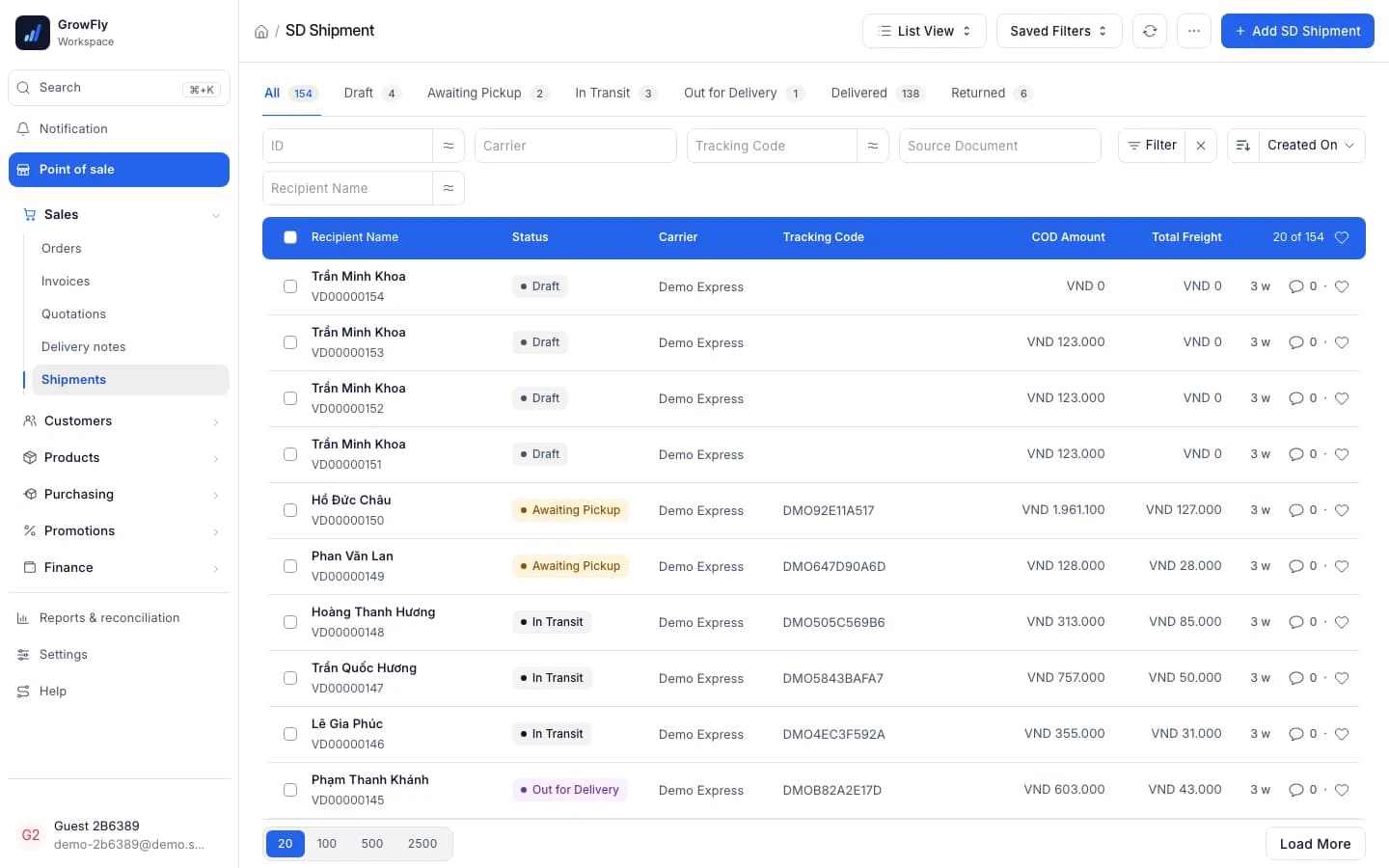
When the carrier reports, the shipment moves on: Awaiting pickup, Out for delivery, Delivered… Parcels not booked yet or needing attention show up under "To do" on the home page.
COD reconciliation by drag and drop
Drop the carrier's statement file on the settlement as it is. Every parcel is matched for you; a line with the wrong amount is flagged "Needs review".
Everything around one delivery
From the customer's order to the COD money landing in your account.
From the till or from a sales order
At the till, open a delivery tab. For the sales team's orders, set the "Delivery method" on the Sales Order: confirming it makes a draft delivery note and a draft shipment.
Your own staff or a carrier
"In-house" or "Carrier". Who pays shipping, whether to collect COD, whether the recipient may inspect: decided while taking the order.
Live shipping quotes
Viettel Post prices each service by the parcel's weight and size. Size comes from the products and can be changed when packed differently.
Labels in bulk
A5, A6 or A7 labels, up to 100 in one print.
14 statuses, updated automatically
3 at the shop, 6 on the road, 5 final. The carrier reports and the shipment changes; no tracking codes to look up.
A warehouse for goods with the carrier
Goods on the road sit in a "Hàng đang giao Viettel Post" warehouse, apart from the shelves, on their own "goods sent for sale" account.
Returns and second attempts
A parcel comes back: "Receive return" puts it back in stock. The customer asks again: "Reship" with a new shipment.
COD reconciliation from the statement
Drop the carrier's .xlsx or .csv file; the "COD Reconciliation" report shows where uncollected money still sits.
One delivery, followed from start to end
The parts sales software usually leaves blank: stock while goods travel, the invoice on delivery, the COD when the carrier pays.
Order progress
One box tells you where the order is and what's next
On every Sales Order, the "Order progress" box lists the delivery note, the shipment, the invoice and the e-invoice. Each row has its status and a button for the next job: "Book with the carrier", "Make invoice", "Receive return".
- Confirming an order moves no stock: goods leave when the carrier picks up or when you press "Deliver now"
- Invoice on stock-out, on delivery or by hand: chosen once in the settings
- Orders waiting to ship and shipments not booked yet show up under "To do" on the home page
Order progress
CarrierSAL-ORD-2026-00125 · Trần Thu Hà
- Delivery noteWith the carrier
Goods in Hàng đang giao Viettel Post; leaves stock when delivered
- ShipmentOut for delivery
Viettel Post · 153128852438 · COD 844,000
When there's something to do, its button appears on that row:
- Book with the carrier
- Make invoice
- Receive return
14 statuses
Wherever the goods go, stock and books follow
At pickup the goods move to the carrier's warehouse. On delivery the delivery note takes them out of stock and the invoice is made. A failed delivery or a return turns into a job to handle, instead of sitting quietly in a list.
- "Reship" or "Receive return" right on the shipment
- A returned parcel: its goods move from the carrier's warehouse back to yours
- Awaiting pickup
- Picked up
- In transit
- Out for delivery
- Delivered
If delivery fails
When the parcel is back: one click restocks it and issues the credit note.
COD reconciliation
The carrier's statement, matched parcel by parcel
Drop the statement on a "Shipping settlement": GrowFly reads every parcel, checks COD and freight, and flags the lines to look at. Confirming it posts one journal entry: COD clears each invoice, freight goes to expenses, and what the carrier still owes sits on its own balance.
- No file? Type the lines by hand
- With SePay, the carrier's transfer is matched automatically
- "COD Reconciliation" report: on the road, delivered but not settled, returns awaiting receipt
Shipping settlement · DS-2026-00043
cod-statement-week-43.xlsx- parcels on the statement
- 38
- matched to GrowFly
- 38/38
- to review
- 1
- 153128852438844,000
- 153128850412489,000Needs review
COD on the statement 489,000 differs from the shipment's 498,000.
- 1531288498602,150,000
Carrier pays = COD − freight31,406,500 ₫
One delivery, the whole business up to date
Nobody types anything twice.
- Point of saleDelivery orders start right at the till: the delivery tab shares the cart, the customer and the promotions.
- InventoryGoods with the carrier sit in the carrier's own warehouse and leave stock only on delivery.
- E-invoicesThe invoice is made on delivery; with a Viettel SInvoice account, the e-invoice is issued with it.
- Accounting & reportsA settlement posts one entry for COD, freight and what the carrier still owes; the reports read from it.
- Customers & ZaloCustomers get Zalo messages as the shipment moves, once the shop has turned on message rules.
- Mobile appStaff take delivery orders and follow shipments on their phone.
What to prepare
- Your business's own Viettel Post account. Viettel Post is currently the one carrier GrowFly connects to.
- Turning on the carrier account turns on shipping: the COD payment method and the related accounts are set up for you.
- Enter weight and size on each product so quotes are right; each parcel can still be changed.
- The carrier gets the order only when you press "Book shipment" on the shipment; GrowFly never books on its own.
- The statement reader follows Viettel Post's column description. If your file differs, you can still type the lines by hand.
- Zalo status messages need a Zalo OA account and message rules (there are none by default).
How to start delivering
- 1
Connect Viettel Post
Enter the carrier account under Settings → Selling & delivery.
- 2
Take the delivery order
At the till, on a Sales Order or in the app: recipient, method, service, COD.
- 3
Book and print the label
One press sends the order to the carrier; stick the label on and wait for pickup.
- 4
Reconcile COD
The carrier sends a statement: drop the file in, check the flagged lines, confirm.
Which carriers does GrowFly connect to?
Viettel Post, for now. You use your business's own Viettel Post account, so the prices are what the carrier quotes for that account.
Does "Take the order" send the carrier right away?
No. It makes a confirmed Sales Order, a draft delivery note and a draft shipment. The carrier gets the order only when you press "Book shipment" on the shipment, so you can still check the parcel first.
When is the sales invoice made?
You choose once in the "Sales invoice made" setting: when goods leave stock, when delivered (the default) or by hand.
What about failed deliveries and returns?
The shipment moves to "Delivery failed" or "Returning" and shows up as a job to handle. Choose "Reship"; when the parcel is back, press "Receive return" to put the goods back in stock.
Does COD reconciliation post to the books?
When you confirm the settlement, GrowFly posts one journal entry: COD clears each invoice's balance, freight goes to shipping expenses, and what the carrier hasn't paid yet sits on your balance with the carrier. With SePay, the carrier's transfer is matched automatically.
Can we deliver with our own staff?
Yes. Choose "In-house" and your staff deliver. If field service is turned on, an in-house delivery becomes a work order for your staff.
Book a test delivery on the demo shop
The demo shop has a simulated carrier: book, watch the statuses move, reconcile, without shipping a single parcel.